Phantom Seats and Fake Availability: What Airline Booking Sites Aren't Telling You Before You Pay
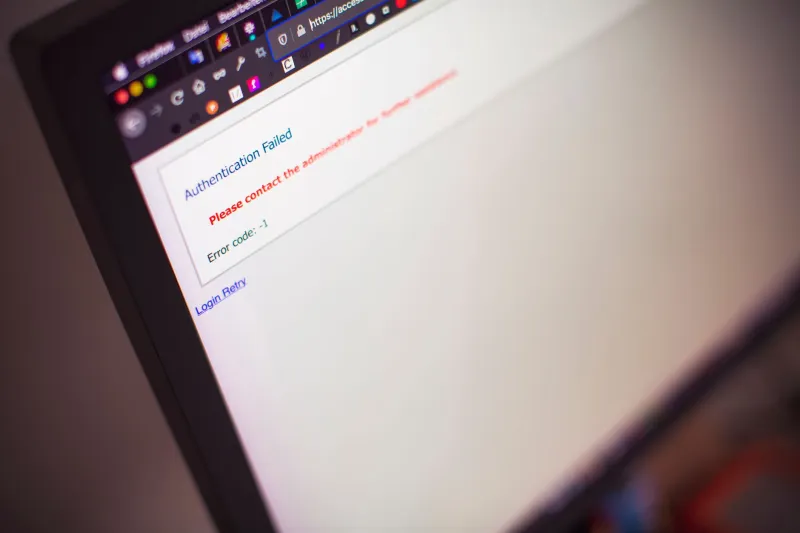
You found the perfect flight. The price was right, the timing was right, and the seat map showed plenty of open spots. You entered your payment info, hit confirm — and then got a message that the booking failed, or worse, that the fare was no longer available. Sound familiar?
This isn't a glitch. It's a feature. And once you understand how airline inventory systems actually work, you'll never book a flight the same way again.
What "Available" Actually Means on an Airline Website
When an airline shows you a seat, it's not necessarily showing you a seat that is physically reserved for you. Most major carriers operate on what's called a dynamic inventory management system — a real-time pricing engine that pulls from a shared pool of availability data, often sourced from multiple global distribution systems (GDS) like Amadeus, Sabre, and Travelport.
Here's the problem: these systems don't always talk to each other fast enough. A seat that shows as available on United's website might simultaneously be in the process of being booked by someone else on Expedia, or even on another tab of United's own site. The databases sync — but not instantly. In that gap, you're looking at what's sometimes called a "soft hold" or, in industry shorthand, a phantom booking.
Some airlines also use what's called speculative inventory, where they display seats at a certain price point before those seats are formally released from another bucket — like a corporate block or a code-share partner hold. The seat exists on the plane. The fare class you're seeing? That's still pending confirmation from a system that hasn't caught up yet.
When It Goes Wrong — And It Does
The most common scenario travelers encounter is the fare class switcheroo. You see a $189 ticket, go through the entire checkout process, and at the final confirmation screen, you're told that fare is no longer available — but hey, there's a $289 option ready to go. Airlines call this "fare escalation." Consumer advocates call it something less polite.
Another version: the booking goes through, your card gets charged, and you receive a confirmation email. Then, hours or even days later, you get a cancellation notice explaining that the ticket could not be issued. This happens more often on international routes, code-share itineraries, and bookings made through third-party aggregators that have a slightly slower pipeline to the airline's core reservation system.
In 2022, a wave of complaints surfaced on travel forums after a major carrier's website showed transatlantic business class availability that had actually been locked into a partner airline's block. Travelers booked, paid, received confirmations — and then got refunds with a polite sorry-not-sorry email. The airline technically issued a refund, so no harm done, right? Wrong. The original deal was gone, and replacement tickets cost significantly more.
The Urgency Trap
Here's where it gets a little more uncomfortable. Some of these inventory display practices aren't just technical limitations — they're strategic. Scarcity messaging like "Only 2 seats left at this price!" is often generated by the same dynamic system. That number can reflect anything from actual seat count to a pricing algorithm's decision that showing limited availability drives faster conversions.
A 2019 study from the International Air Transport Association acknowledged that fare display systems were not always synchronized with real-time availability, and recommended clearer disclosure standards. Those standards remain voluntary. Airlines are not legally required to show you only seats that are 100% confirmed available at the displayed price — at least not until you've completed your transaction.
How to Verify Before You Pay
So what can you actually do? A few tactics that sharp travelers use:
Cross-check on Google Flights first. Google's flight search pulls from multiple GDS sources and often surfaces availability discrepancies faster than individual airline sites. If Google Flights shows the route at a certain price, and the airline's own site shows something wildly different, that's a red flag worth investigating.
Call the airline's reservations line. This sounds old-school, but it works. An agent can confirm whether a specific fare class is genuinely bookable before you run your card. Ask them to quote you the same itinerary. If their system shows a different price or availability, trust the phone call over the website.
Use the 24-hour hold feature when available. Several airlines — Delta, United, and American among them — allow you to hold a fare for 24 hours without payment. If the seat is real and the fare is real, it'll still be there. If the hold fails to process, that's your early warning.
Book directly with the airline when possible. Third-party sites add another layer of latency to the inventory pipeline. Booking direct doesn't eliminate phantom availability, but it reduces the number of systems in the chain that can fall out of sync.
Screenshot everything. Before you finalize, take a screenshot of the price, the seat map, and the availability display. If something goes wrong post-booking, you'll want documentation for a credit card dispute or a complaint to the Department of Transportation.
What Happens If You're Already Stuck
If your booking fails after payment, the airline is required to issue a prompt refund — typically within seven business days for credit card purchases under DOT rules. If you were charged and the ticket wasn't issued, that's a clear case for a dispute with your card issuer if the refund doesn't come through quickly.
If you received a confirmation and then a cancellation, document the timeline carefully. The DOT's Aviation Consumer Protection Division accepts complaints, and airlines do respond to formal filings — especially when there's a pattern.
The Bottom Line
Airline booking systems are more complicated than the clean, simple interfaces suggest. Phantom availability isn't always deliberate deception — sometimes it's just the messy reality of multiple inventory databases trying to stay in sync across millions of transactions. But sometimes the urgency is manufactured, and the "limited seats" banner is doing exactly what it was designed to do: make you click faster than you think.
Slow down. Cross-check. And never assume that "available" means the same thing to the airline's algorithm that it means to you.